How to use Chrome extensions in Safari
Safari can't install from the Chrome Web Store, but most Chrome extensions still run in it once they're packaged inside a Mac app. Viaduct does that from the store page.
With Viaduct
Get Viaduct and run its setup. It walks you through installing Xcode, signing in to it with any Apple ID and turning on the Add to Safari button.
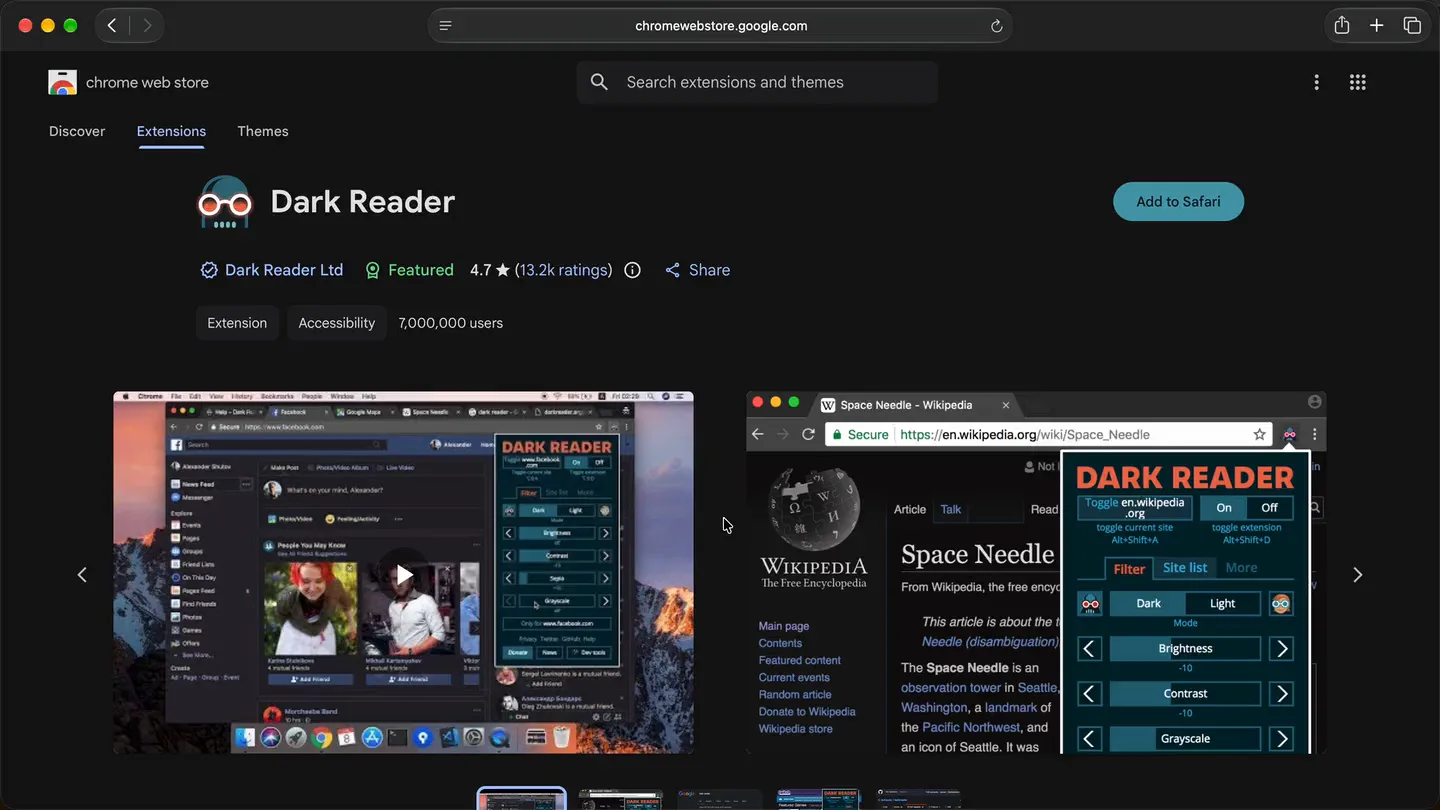
Open the extension's page on the Chrome Web Store in Safari.
Click Add to Safari. Viaduct downloads, converts and signs it.
Switch it on in Safari → Settings → Extensions, and it's in your toolbar.
Three ways
| Way | Who it's for | What you need | What you get |
|---|---|---|---|
| An official Safari version | Anyone, if one exists | The App Store, or the developer's site. Some are paid. | The developer's own Safari build, which can differ from the Chrome one |
| Apple's packager | Developers | Xcode and the extension's files | An Xcode project to build and sign yourself. Fixing what Safari doesn't support is up to you. |
| Viaduct | Everyone else | macOS 13 or later, and Xcode (free), which Viaduct runs for you | The Chrome extension itself, converted, signed and installed, with fixes where Safari behaves differently |
Check for an official version first: the extension list shows which popular extensions have one. For Apple's packager, the comparison has the command.
Questions
What won't work in Safari?
Features built on an API Safari doesn't have, such as some sign-in flows or blocking network requests. Viaduct patches many differences, but that's why uBlock Origin, ClearURLs, xBrowserSync, Vimium and React Developer Tools only partly work.
Can Safari load an extension without an app?
Only to test it. With Safari's developer features turned on, Settings → Developer → Add Temporary Extension loads a folder or .zip. Safari removes it after 24 hours or when you quit.
Does this work on iPhone or iPad?
Viaduct is Mac only. On iPhone and iPad, Safari extensions come inside apps, so you need the official version from the App Store, or Apple's packager and an Apple Developer Program membership to build one yourself.
What does Viaduct cost?
Two conversions are free, and Viaduct removes them after 7 days. Pro is $19 once: it converts as many as you like and keeps them installed.
Extensions
- Claude in Chrome
- uBlock Origin
- Tampermonkey
- Violentmonkey
- MetaMask
- Return YouTube Dislike
- SponsorBlock
- Stylus
- Dark Reader
- ClearURLs
- Decentraleyes
- I still don't care about cookies
- Video Speed Controller
- Augmented Steam
- Reddit Enhancement Suite
- Refined GitHub
- Zotero Connector
- uBlacklist
- Web Archives
- User-Agent Switcher and Manager
- xBrowserSync
- Vimium
- Enhancer for YouTube
- OneTab
- React Developer Tools
- Vue.js devtools
- Redux DevTools
- ColorZilla
- Google Translate